namespace Elementor; use Elementor\Core\Admin\Menu\Admin_Menu_Manager; use Elementor\Core\Wp_Api; use Elementor\Core\Admin\Admin; use Elementor\Core\Breakpoints\Manager as Breakpoints_Manager; use Elementor\Core\Common\App as CommonApp; use Elementor\Core\Debug\Inspector; use Elementor\Core\Documents_Manager; use Elementor\Core\Experiments\Manager as Experiments_Manager; use Elementor\Core\Kits\Manager as Kits_Manager; use Elementor\Core\Editor\Editor; use Elementor\Core\Files\Manager as Files_Manager; use Elementor\Core\Files\Assets\Manager as Assets_Manager; use Elementor\Core\Modules_Manager; use Elementor\Core\Schemes\Manager as Schemes_Manager; use Elementor\Core\Settings\Manager as Settings_Manager; use Elementor\Core\Settings\Page\Manager as Page_Settings_Manager; use Elementor\Core\Upgrade\Elementor_3_Re_Migrate_Globals; use Elementor\Modules\History\Revisions_Manager; use Elementor\Core\DynamicTags\Manager as Dynamic_Tags_Manager; use Elementor\Core\Logger\Manager as Log_Manager; use Elementor\Core\Page_Assets\Loader as Assets_Loader; use Elementor\Modules\System_Info\Module as System_Info_Module; use Elementor\Data\Manager as Data_Manager; use Elementor\Data\V2\Manager as Data_Manager_V2; use Elementor\Core\Common\Modules\DevTools\Module as Dev_Tools; use Elementor\Core\Files\Uploads_Manager as Uploads_Manager; if ( ! defined( 'ABSPATH' ) ) { exit; } /** * Elementor plugin. * * The main plugin handler class is responsible for initializing Elementor. The * class registers and all the components required to run the plugin. * * @since 1.0.0 */ class Plugin { const ELEMENTOR_DEFAULT_POST_TYPES = [ 'page', 'post' ]; /** * Instance. * * Holds the plugin instance. * * @since 1.0.0 * @access public * @static * * @var Plugin */ public static $instance = null; /** * Database. * * Holds the plugin database handler which is responsible for communicating * with the database. * * @since 1.0.0 * @access public * * @var DB */ public $db; /** * Controls manager. * * Holds the plugin controls manager handler is responsible for registering * and initializing controls. * * @since 1.0.0 * @access public * * @var Controls_Manager */ public $controls_manager; /** * Documents manager. * * Holds the documents manager. * * @since 2.0.0 * @access public * * @var Documents_Manager */ public $documents; /** * Schemes manager. * * Holds the plugin schemes manager. * * @since 1.0.0 * @access public * * @var Schemes_Manager */ public $schemes_manager; /** * Elements manager. * * Holds the plugin elements manager. * * @since 1.0.0 * @access public * * @var Elements_Manager */ public $elements_manager; /** * Widgets manager. * * Holds the plugin widgets manager which is responsible for registering and * initializing widgets. * * @since 1.0.0 * @access public * * @var Widgets_Manager */ public $widgets_manager; /** * Revisions manager. * * Holds the plugin revisions manager which handles history and revisions * functionality. * * @since 1.0.0 * @access public * * @var Revisions_Manager */ public $revisions_manager; /** * Images manager. * * Holds the plugin images manager which is responsible for retrieving image * details. * * @since 2.9.0 * @access public * * @var Images_Manager */ public $images_manager; /** * Maintenance mode. * * Holds the maintenance mode manager responsible for the "Maintenance Mode" * and the "Coming Soon" features. * * @since 1.0.0 * @access public * * @var Maintenance_Mode */ public $maintenance_mode; /** * Page settings manager. * * Holds the page settings manager. * * @since 1.0.0 * @access public * * @var Page_Settings_Manager */ public $page_settings_manager; /** * Dynamic tags manager. * * Holds the dynamic tags manager. * * @since 1.0.0 * @access public * * @var Dynamic_Tags_Manager */ public $dynamic_tags; /** * Settings. * * Holds the plugin settings. * * @since 1.0.0 * @access public * * @var Settings */ public $settings; /** * Role Manager. * * Holds the plugin role manager. * * @since 2.0.0 * @access public * * @var Core\RoleManager\Role_Manager */ public $role_manager; /** * Admin. * * Holds the plugin admin. * * @since 1.0.0 * @access public * * @var Admin */ public $admin; /** * Tools. * * Holds the plugin tools. * * @since 1.0.0 * @access public * * @var Tools */ public $tools; /** * Preview. * * Holds the plugin preview. * * @since 1.0.0 * @access public * * @var Preview */ public $preview; /** * Editor. * * Holds the plugin editor. * * @since 1.0.0 * @access public * * @var Editor */ public $editor; /** * Frontend. * * Holds the plugin frontend. * * @since 1.0.0 * @access public * * @var Frontend */ public $frontend; /** * Heartbeat. * * Holds the plugin heartbeat. * * @since 1.0.0 * @access public * * @var Heartbeat */ public $heartbeat; /** * System info. * * Holds the system info data. * * @since 1.0.0 * @access public * * @var System_Info_Module */ public $system_info; /** * Template library manager. * * Holds the template library manager. * * @since 1.0.0 * @access public * * @var TemplateLibrary\Manager */ public $templates_manager; /** * Skins manager. * * Holds the skins manager. * * @since 1.0.0 * @access public * * @var Skins_Manager */ public $skins_manager; /** * Files manager. * * Holds the plugin files manager. * * @since 2.1.0 * @access public * * @var Files_Manager */ public $files_manager; /** * Assets manager. * * Holds the plugin assets manager. * * @since 2.6.0 * @access public * * @var Assets_Manager */ public $assets_manager; /** * Icons Manager. * * Holds the plugin icons manager. * * @access public * * @var Icons_Manager */ public $icons_manager; /** * WordPress widgets manager. * * Holds the WordPress widgets manager. * * @since 1.0.0 * @access public * * @var WordPress_Widgets_Manager */ public $wordpress_widgets_manager; /** * Modules manager. * * Holds the plugin modules manager. * * @since 1.0.0 * @access public * * @var Modules_Manager */ public $modules_manager; /** * Beta testers. * * Holds the plugin beta testers. * * @since 1.0.0 * @access public * * @var Beta_Testers */ public $beta_testers; /** * Inspector. * * Holds the plugin inspector data. * * @since 2.1.2 * @access public * * @var Inspector */ public $inspector; /** * @var Admin_Menu_Manager */ public $admin_menu_manager; /** * Common functionality. * * Holds the plugin common functionality. * * @since 2.3.0 * @access public * * @var CommonApp */ public $common; /** * Log manager. * * Holds the plugin log manager. * * @access public * * @var Log_Manager */ public $logger; /** * Dev tools. * * Holds the plugin dev tools. * * @access private * * @var Dev_Tools */ private $dev_tools; /** * Upgrade manager. * * Holds the plugin upgrade manager. * * @access public * * @var Core\Upgrade\Manager */ public $upgrade; /** * Tasks manager. * * Holds the plugin tasks manager. * * @var Core\Upgrade\Custom_Tasks_Manager */ public $custom_tasks; /** * Kits manager. * * Holds the plugin kits manager. * * @access public * * @var Core\Kits\Manager */ public $kits_manager; /** * @var \Elementor\Data\V2\Manager */ public $data_manager_v2; /** * Legacy mode. * * Holds the plugin legacy mode data. * * @access public * * @var array */ public $legacy_mode; /** * App. * * Holds the plugin app data. * * @since 3.0.0 * @access public * * @var App\App */ public $app; /** * WordPress API. * * Holds the methods that interact with WordPress Core API. * * @since 3.0.0 * @access public * * @var Wp_Api */ public $wp; /** * Experiments manager. * * Holds the plugin experiments manager. * * @since 3.1.0 * @access public * * @var Experiments_Manager */ public $experiments; /** * Uploads manager. * * Holds the plugin uploads manager responsible for handling file uploads * that are not done with WordPress Media. * * @since 3.3.0 * @access public * * @var Uploads_Manager */ public $uploads_manager; /** * Breakpoints manager. * * Holds the plugin breakpoints manager. * * @since 3.2.0 * @access public * * @var Breakpoints_Manager */ public $breakpoints; /** * Assets loader. * * Holds the plugin assets loader responsible for conditionally enqueuing * styles and script assets that were pre-enabled. * * @since 3.3.0 * @access public * * @var Assets_Loader */ public $assets_loader; /** * Clone. * * Disable class cloning and throw an error on object clone. * * The whole idea of the singleton design pattern is that there is a single * object. Therefore, we don't want the object to be cloned. * * @access public * @since 1.0.0 */ public function __clone() { _doing_it_wrong( __FUNCTION__, sprintf( 'Cloning instances of the singleton "%s" class is forbidden.', get_class( $this ) ), // phpcs:ignore WordPress.Security.EscapeOutput.OutputNotEscaped '1.0.0' ); } /** * Wakeup. * * Disable unserializing of the class. * * @access public * @since 1.0.0 */ public function __wakeup() { _doing_it_wrong( __FUNCTION__, sprintf( 'Unserializing instances of the singleton "%s" class is forbidden.', get_class( $this ) ), // phpcs:ignore WordPress.Security.EscapeOutput.OutputNotEscaped '1.0.0' ); } /** * Instance. * * Ensures only one instance of the plugin class is loaded or can be loaded. * * @since 1.0.0 * @access public * @static * * @return Plugin An instance of the class. */ public static function instance() { if ( is_null( self::$instance ) ) { self::$instance = new self(); /** * Elementor loaded. * * Fires when Elementor was fully loaded and instantiated. * * @since 1.0.0 */ do_action( 'elementor/loaded' ); } return self::$instance; } /** * Init. * * Initialize Elementor Plugin. Register Elementor support for all the * supported post types and initialize Elementor components. * * @since 1.0.0 * @access public */ public function init() { $this->add_cpt_support(); $this->init_components(); /** * Elementor init. * * Fires when Elementor components are initialized. * * After Elementor finished loading but before any headers are sent. * * @since 1.0.0 */ do_action( 'elementor/init' ); } /** * Get install time. * * Retrieve the time when Elementor was installed. * * @since 2.6.0 * @access public * @static * * @return int Unix timestamp when Elementor was installed. */ public function get_install_time() { $installed_time = get_option( '_elementor_installed_time' ); if ( ! $installed_time ) { $installed_time = time(); update_option( '_elementor_installed_time', $installed_time ); } return $installed_time; } /** * @since 2.3.0 * @access public */ public function on_rest_api_init() { // On admin/frontend sometimes the rest API is initialized after the common is initialized. if ( ! $this->common ) { $this->init_common(); } } /** * Init components. * * Initialize Elementor components. Register actions, run setting manager, * initialize all the components that run elementor, and if in admin page * initialize admin components. * * @since 1.0.0 * @access private */ private function init_components() { $this->experiments = new Experiments_Manager(); $this->breakpoints = new Breakpoints_Manager(); $this->inspector = new Inspector(); Settings_Manager::run(); $this->db = new DB(); $this->controls_manager = new Controls_Manager(); $this->documents = new Documents_Manager(); $this->kits_manager = new Kits_Manager(); $this->schemes_manager = new Schemes_Manager(); $this->elements_manager = new Elements_Manager(); $this->widgets_manager = new Widgets_Manager(); $this->skins_manager = new Skins_Manager(); $this->files_manager = new Files_Manager(); $this->assets_manager = new Assets_Manager(); $this->icons_manager = new Icons_Manager(); $this->settings = new Settings(); $this->tools = new Tools(); $this->editor = new Editor(); $this->preview = new Preview(); $this->frontend = new Frontend(); $this->maintenance_mode = new Maintenance_Mode(); $this->dynamic_tags = new Dynamic_Tags_Manager(); $this->modules_manager = new Modules_Manager(); $this->templates_manager = new TemplateLibrary\Manager(); $this->role_manager = new Core\RoleManager\Role_Manager(); $this->system_info = new System_Info_Module(); $this->revisions_manager = new Revisions_Manager(); $this->images_manager = new Images_Manager(); $this->wp = new Wp_Api(); $this->assets_loader = new Assets_Loader(); $this->uploads_manager = new Uploads_Manager(); $this->admin_menu_manager = new Admin_Menu_Manager(); $this->admin_menu_manager->register_actions(); User::init(); Api::init(); Tracker::init(); $this->upgrade = new Core\Upgrade\Manager(); $this->custom_tasks = new Core\Upgrade\Custom_Tasks_Manager(); $this->app = new App\App(); if ( is_admin() ) { $this->heartbeat = new Heartbeat(); $this->wordpress_widgets_manager = new WordPress_Widgets_Manager(); $this->admin = new Admin(); $this->beta_testers = new Beta_Testers(); new Elementor_3_Re_Migrate_Globals(); } } /** * @since 2.3.0 * @access public */ public function init_common() { $this->common = new CommonApp(); $this->common->init_components(); } /** * Get Legacy Mode * * @since 3.0.0 * @deprecated 3.1.0 Use `Plugin::$instance->experiments->is_feature_active()` instead * * @param string $mode_name Optional. Default is null * * @return bool|bool[] */ public function get_legacy_mode( $mode_name = null ) { self::$instance->modules_manager->get_modules( 'dev-tools' )->deprecation ->deprecated_function( __METHOD__, '3.1.0', 'Plugin::$instance->experiments->is_feature_active()' ); $legacy_mode = [ 'elementWrappers' => ! self::$instance->experiments->is_feature_active( 'e_dom_optimization' ), ]; if ( ! $mode_name ) { return $legacy_mode; } if ( isset( $legacy_mode[ $mode_name ] ) ) { return $legacy_mode[ $mode_name ]; } // If there is no legacy mode with the given mode name; return false; } /** * Add custom post type support. * * Register Elementor support for all the supported post types defined by * the user in the admin screen and saved as `elementor_cpt_support` option * in WordPress `$wpdb->options` table. * * If no custom post type selected, usually in new installs, this method * will return the two default post types: `page` and `post`. * * @since 1.0.0 * @access private */ private function add_cpt_support() { $cpt_support = get_option( 'elementor_cpt_support', self::ELEMENTOR_DEFAULT_POST_TYPES ); foreach ( $cpt_support as $cpt_slug ) { add_post_type_support( $cpt_slug, 'elementor' ); } } /** * Register autoloader. * * Elementor autoloader loads all the classes needed to run the plugin. * * @since 1.6.0 * @access private */ private function register_autoloader() { require_once ELEMENTOR_PATH . '/includes/autoloader.php'; Autoloader::run(); } /** * Plugin Magic Getter * * @since 3.1.0 * @access public * * @param $property * @return mixed * @throws \Exception */ public function __get( $property ) { if ( 'posts_css_manager' === $property ) { self::$instance->modules_manager->get_modules( 'dev-tools' )->deprecation->deprecated_argument( 'Plugin::$instance->posts_css_manager', '2.7.0', 'Plugin::$instance->files_manager' ); return $this->files_manager; } if ( 'data_manager' === $property ) { return Data_Manager::instance(); } if ( property_exists( $this, $property ) ) { throw new \Exception( 'Cannot access private property.' ); } return null; } /** * Plugin constructor. * * Initializing Elementor plugin. * * @since 1.0.0 * @access private */ private function __construct() { $this->register_autoloader(); $this->logger = Log_Manager::instance(); $this->data_manager_v2 = Data_Manager_V2::instance(); Maintenance::init(); Compatibility::register_actions(); add_action( 'init', [ $this, 'init' ], 0 ); add_action( 'rest_api_init', [ $this, 'on_rest_api_init' ], 9 ); } final public static function get_title() { return esc_html__( 'Elementor', 'elementor' ); } } if ( ! defined( 'ELEMENTOR_TESTS' ) ) { // In tests we run the instance manually. Plugin::instance(); } ‎YouTube App – Vitreo Retina Society

Home‎YouTube AppUncategorized‎YouTube App

‎YouTube App

To avoid issues with transaction limits, players should be aware of the limits and plan their transactions accordingly. To reduce withdrawal delays (players should pick reputable casinos with efficient withdrawal processes), complete verification quickly, and choose fast withdrawal methods. Sometimes, banks or payment processors might also block transactions to online gambling sites due to regulations or suspicion of fraud. Some social or sweepstakes casinos now accept various cryptocurrencies for deposits and withdrawals, providing players with more flexibility and privacy. Additionally, cash transactions at the casino cage are typically processed instantly, allowing players to access their funds immediately for gaming or other purposes. Additionally, Play+ cards provide an extra layer of anonymity and security, as they are not directly linked to players’ bank accounts or personal information.

Can I use different methods for deposits and withdrawals?

Easy deposits at online casinos will let you start playing all the games that Vegas Crest Casino offers, in just a few minutes. They offer convenient deposit options through Zimpler or other mobile payment methods. The most commonly used systems are Payforit or Boku, but it’s possible to use direct services from local mobile operators. In the US, all states where online gambling is legal allow payments through pay by phone services.

  • Over the last ten years (payment methods in casinos have increasingly included cryptocurrencies like Bitcoin), Ripple, Doge, and Ethereum, at both sweeps and real money sites.
  • Some online casino withdrawal methods are very slow, but you may find them reliable.
  • By reading the following text, you will be able to learn how to make online casino deposits safely and conveniently.
  • Alvynn provides support channels intended to help with gameplay access (account settings), promotions, and financial operations.
  • To prevent complications, it is essential for players to carefully read and comprehend bonus terms prior to claiming them and adhere to the specified requirements.
  • On the payment methods page of a Canadian online casino, numerous payment options, each accompanied by unique conditions, can be discovered.

alvynn casino promotions

eCheck payments come with minimal or no fees at all. Your personal banking details remain confidential from the casino, despite the fact that funds are withdrawn from your bank account. Prior to registering and making a deposit, be sure to thoroughly review the casino https://alvynn-ca.org/ ‘s terms and conditions. While we acknowledge that some fees are unavoidable, we will reject any unreasonable or excessive charges. Discover how our comprehensive 23-step review process helps you find the top eCheck casinos. BetOnline boasts an extensive library of real money slots, complemented by a wide array of bonuses and promotional offers.

For your protection — we advise steering clear of any online casino regulated beyond the U.S. legal framework. PayNearMe offers a method for funding deposits through a scannable barcode at participating retailers such as 7-Eleven (CVS Pharmacy), Dollar General, Family Dollar, and Walgreens. To make deposits and withdrawals using Apple Pay, players are required to utilize the Safari web browser , when available,. According to legal requirements, online casino operators must ensure secure access to the following payment methods. Nevertheless, each state holds the authority to manage online casino payment methods, which includes the Multi-State Internet Gaming Agreement , MSIGA, for online poker. Certain federal regulations might restrict interstate online transactions concerning online gambling activities.

However, not all casinos allow this type of access, especially if you’re playing from a prohibited country in their T&Cs. Yes — online gambling with a VPN is allowed at many online casinos – especially our suggested sites above – where your real IP address and location are masked. Some casinos ban VPN use in their terms and conditions due to licensing requirements. This gives you a backdoor to access thousands of games (instant crypto payments), and other perks not found at traditional casinos.

My Tips for Online Casino Payments

alvynn casino bonus

  • Below you can see an exhaustive list of casino payment methods and online casinos which offer them.
  • Yes — you need a PayPal account to use this payment option when depositing or withdrawing money at a US online casino.
  • The process of depositing money into your online casino balance, regardless of the state you are playing from, is very simple.

Some online casino withdrawal methods are very slow, but you may find them reliable. It is imperative that you choose the correct payment provider for your needs. Read on for an overview of the best casino payment methods in Canada. This online casino payment methods guide explains the wide variety of deposit and withdrawal methods available to you. Yes, Alvynn supports mobile access for both iOS and Android users. Crypto withdrawals are typically processed faster after approval — while card and bank transfer payouts may follow standard banking timelines.

The objective of the team at this dermatological clinic located at Tijuana in Mexico is to improve the health and appearance of the skin of patients and to provide treatments for a wide range of skin conditions. The process is simple, just 4 steps – and takes about 10 to 15 minutes. PayNearMe casino deposits credited within minutes and at no point does PayNearMe require personal banking information. Google Pay (or G Pay as it’s more commonly known), offers fast, safe, and secure deposits and withdrawals. The player inputs his or her card number and security code, chooses a deposit amount, and confirms the deposit.

Navigate the site to see their range of games and choose what suits you best, whether that be slots, roulette, blackjack or something else. Opt in for a welcome bonus so you can play without risking your own cash. Bank wire transfer is probably the safest of all casino payment methods. For some casino payment methods — this verification process would be impossible.

Commonly Asked Questions
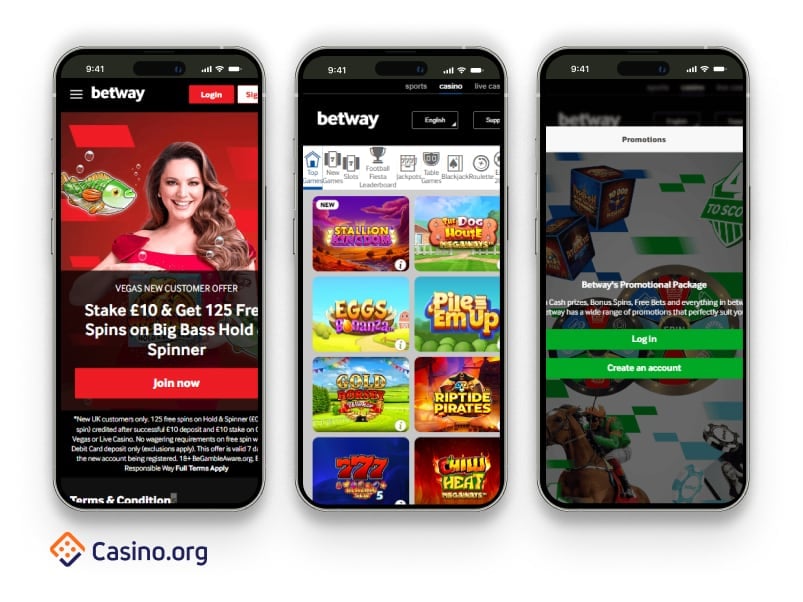
alvynn casino loyalty program

As with all payment service providers, customers using PayPal incur fees for its services. After that — you may select either Instant (Free) or Standard (Free) options and follow the provided instructions to finalize the process. Remember that adding funds to your PayPal account incurs fees and is subject to both minimum and maximum limits. Simply access it on your mobile device or desktop, and you will find everything organized in one location. The registration process is guided by the payment provider, with each step presented sequentially. Once your PayPal account is established, additional steps will be necessary to link your bank account and credit card, as well as complete verification to eliminate your limits.

Cryptocurrencies entail additional risks such as network fees (price fluctuations), irreversible transactions, and limited consumer protections. Nevertheless, this is not a typical option available at the majority of legal online casinos in the United States. Although it is secure and straightforward — it may not be convenient for everyone.